DEVICE NODE
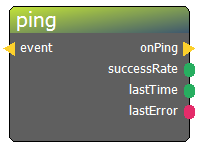
The DEVICE NODE is an abstract placeholder and cannot be inserted as a static, standalone element. Instead, it serves as a portal to your physical hardware library. When you attempt to place this node into the editor, a selection dialog appears, allowing you to choose a specific pre-configured device from your project to represent in the diagram.
How it Works: Devices are defined in a dedicated management tool within the ERGS suite. This tool features auto-discovery for Tasmota and ESPHome devices, automatically mapping their physical properties—such as I/O pins and MQTT "last-will" topics—directly into the node's connectors. Once a device is selected and placed, the abstract node transforms into a specific representation of that hardware, complete with all relevant input and output pins.
Supported Protocols: * MQTT-based Hardware: ESP32 (via ESPHome), Tasmota devices, or custom Arduino Mega + Ethernet setups using the provided ERGS firmware. * DMX: Supports both local USB DMX interfaces and ArtNet (DMX over Wi-Fi). * Industrial Protocols: ModBus (over Ethernet or COM port). * Serial Communication: Standard COM port serial connections.
Low-Budget Prototyping Example:
A popular "low-budget" solution is using an ESP32 with the ESPHome firmware. By simply attaching a wire to the TOUCH1 pin, ERGS instantly recognizes a touch-sensitive button through auto-discovery. This allows designers to add interactive elements to a game with virtually zero hardware costs beyond the microcontroller.
System Health & Monitoring: The Room Master interface provides a comprehensive overview table for all integrated devices. From this dashboard, operators can monitor the "health" of the game in real-time, viewing: * Connection Status: Instant Online/Offline indicators. * Network Data: Active IP addresses for all networked hardware. * Latency: "Last ping" timestamps to ensure the system is responsive.
Pro Tip: By defining your hardware in the device manager first, you ensure that any change to the physical wiring only needs to be updated in one place; the corresponding nodes in your diagrams will update their pin configurations automatically.
Node properties
- description [type: string]
- MQTT QoS [type: integer]
- MQTT retain [type: bool]
- name [type: string]